Self-hosted VPN Mesh Network
Headscale, Tailscale, and Mesh Networks
Exposing a homelab to the public internet is a fragile thing. You want easy access to your services, but it should only be easy for the people that are allowed to access them. Port-forwarding is not ideal, with services being open to the internet, and constantly exposed to possible threats. But setting up your own VPN with Wireguard is a bit more tedious.
Tailscale, is a brilliant solution to this, giving you free access to a limited amount of devices through a mesh network, which is relayed across public servers. This means, no port-forwarding or security nightmares, as well as little-to-no setup for a VPN.

The Drawback and solution
To access your self-hosted services outside of your local network with Tailscale, you will be using a non-self-hosted service. Fortunately, Heasdscale, is the missing piece to self-host the mesh network yourself.
Headscale gives you the servuce backend to be able to serve the login or control-plane of Tailscale, as well as setting up your own DERP-relay to be able to relay the routes back to your LAN. This means that the front-end remains the same, using the same Tailscale clients on all devices.
ACL's and Cloud-servers
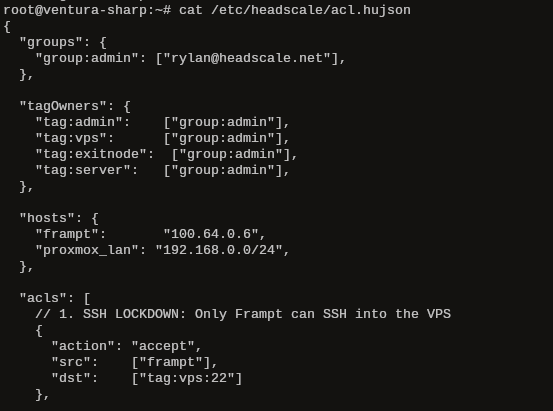
Headscale does require public access, so I hosted this on my VPS in the cloud. It doesn't require too much resources, simply a couple hundred MB of RAM, and 1 or 2 vCPU's will get the job done.
One of the benefits of self-hosting the Tailscale control-plane is that you can set up some of the paid features of Tailscale yourself. Access Control Lists (ACLs) are very useful for upholding the Principle of Least Privilege (PoLP), giving devices only the access they need to each other. For example, my VPS hosting Headscale (which is also in the network) is not allowed to SSH into any other machine on the network, and the non-admin devices aren't allowed to see the VPS.